“I want an app” is one of the phrases we hear most at the start of a project. Sometimes it is the right call; just as often, what the business needs is a good website. Choosing well from the start saves months of work and a good part of the budget.
The right question: what should your customer achieve?
Before talking about technology, answer four simple questions. The answers almost always point the way:
- How often will they use it? If customers check in once a month, they are unlikely to install an app. If they use it several times a week, an app starts to make sense.
- How will they find you? People searching for a service on Google land on a website, not an app store.
- Do they need phone features? Notifications, the camera, location or offline use are app territory.
- Who will maintain it? An app needs constant updates; a website, far fewer.
When a website is enough
A website is the best first investment for most businesses. It works on any device, there is nothing to install, it can be shared with a link on WhatsApp or social media, and it can show up on Google when someone searches for what you offer.
It is enough when the goal is to inform and generate leads: showing services or products, publishing prices or plans, receiving quote requests, booking simple appointments or selling from a catalog. Plus, every change goes live instantly for every visitor.
When an app is worth it
A mobile app is justified when customers have a frequent relationship with your service and the app gives them something the web cannot do as well:
- Daily or weekly use: studying, training, tracking orders or managing an account.
- Notifications: reminders, status updates or alerts at the right moment.
- Phone features: the camera to scan or upload photos, location, biometrics or offline work.
- A personal experience: an account with history, progress and preferences the user wants one tap away.
- In-app payments: subscriptions or digital content purchases through the App Store and Google Play.
Quick comparison
| Criterion | Website | Mobile app |
|---|---|---|
| How customers arrive | Search engines, links and social media | App store and download |
| Installation | Not required | Yes, and it takes up space on the phone |
| Best for | Occasional visits and first contact | Frequent, personal use |
| Phone features | Limited | Full: notifications, camera, offline use |
| Updates | Instant for everyone | Go through app store review |
| Initial investment | Lower | Higher |
| Maintenance | Domain, hosting and content | New iOS and Android versions, stores and servers |
Native, cross-platform or progressive web app
If you decide you need an app, there are three technical paths. None is best in every case:
Native app
Built separately for iPhone (iOS) and Android, each in its own language. It offers top performance and full access to the phone, but it means maintaining two apps and usually a higher cost.
Cross-platform app
With tools such as Flutter, a single codebase runs on both iOS and Android. It is the option we use most: it cuts time and cost without sacrificing a quality experience. That is how we built Yukiia.
Progressive web app (PWA)
A website that can be “installed” on the home screen and work partly offline. It is affordable and does not depend on app stores, but it has limitations, especially on iPhone, and it does not replace an app when advanced features are needed.
Costs you don’t see at first
The development price is only part of it. To compare proposals fairly, also consider:
- Domain, hosting or servers: yearly or monthly payments to keep the site or app running.
- Developer accounts: Apple charges a yearly membership and Google a one-time fee to publish apps.
- App store fees: on digital content sold inside the app, they usually range from 15% to 30%.
- Updates: new iOS and Android versions come out every year and may require changes.
- Support and content: someone has to answer users and keep information up to date.
Two real cases: why one is a website and the other an app
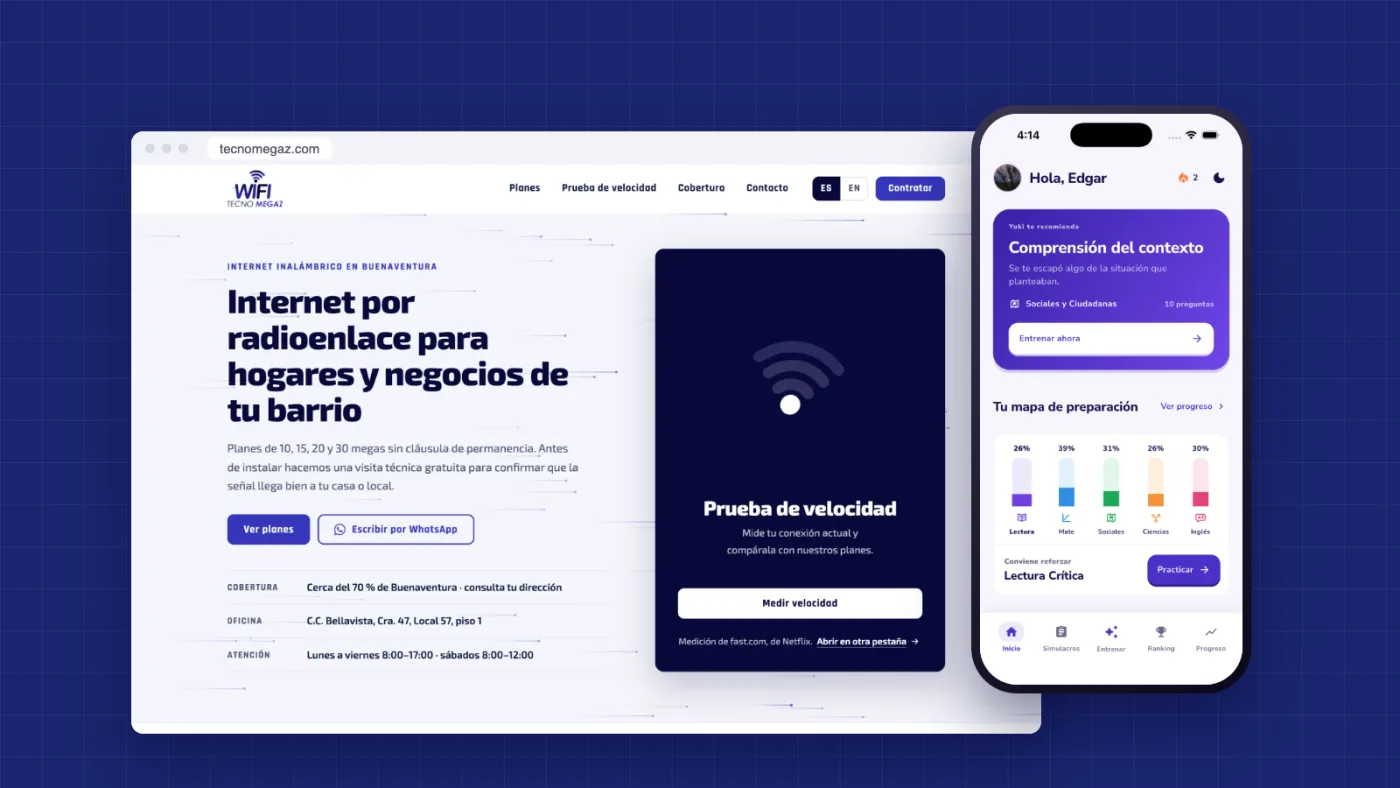
WiFi Tecno Megaz, our internet service in Buenaventura, only needed a website. Its customers search for it, compare plans, check coverage and message on WhatsApp. Asking them to install an app for that would be an obstacle. See how we built the site.
Yukiia, our Saber 11 preparation app, did need to be an app: students practice almost every day, get reminders, track their progress and can subscribe to the Pro version. Even so, it also has a website so people can find it on Google and learn about it before downloading. See how we built the app.
The conclusion comes up often: the answer is frequently “both”, but in order. First a website that attracts customers and validates the idea; then an app when frequent use justifies it.
Not sure whether your project needs an app or a website?
We reply within 24 hours, and advice is free.